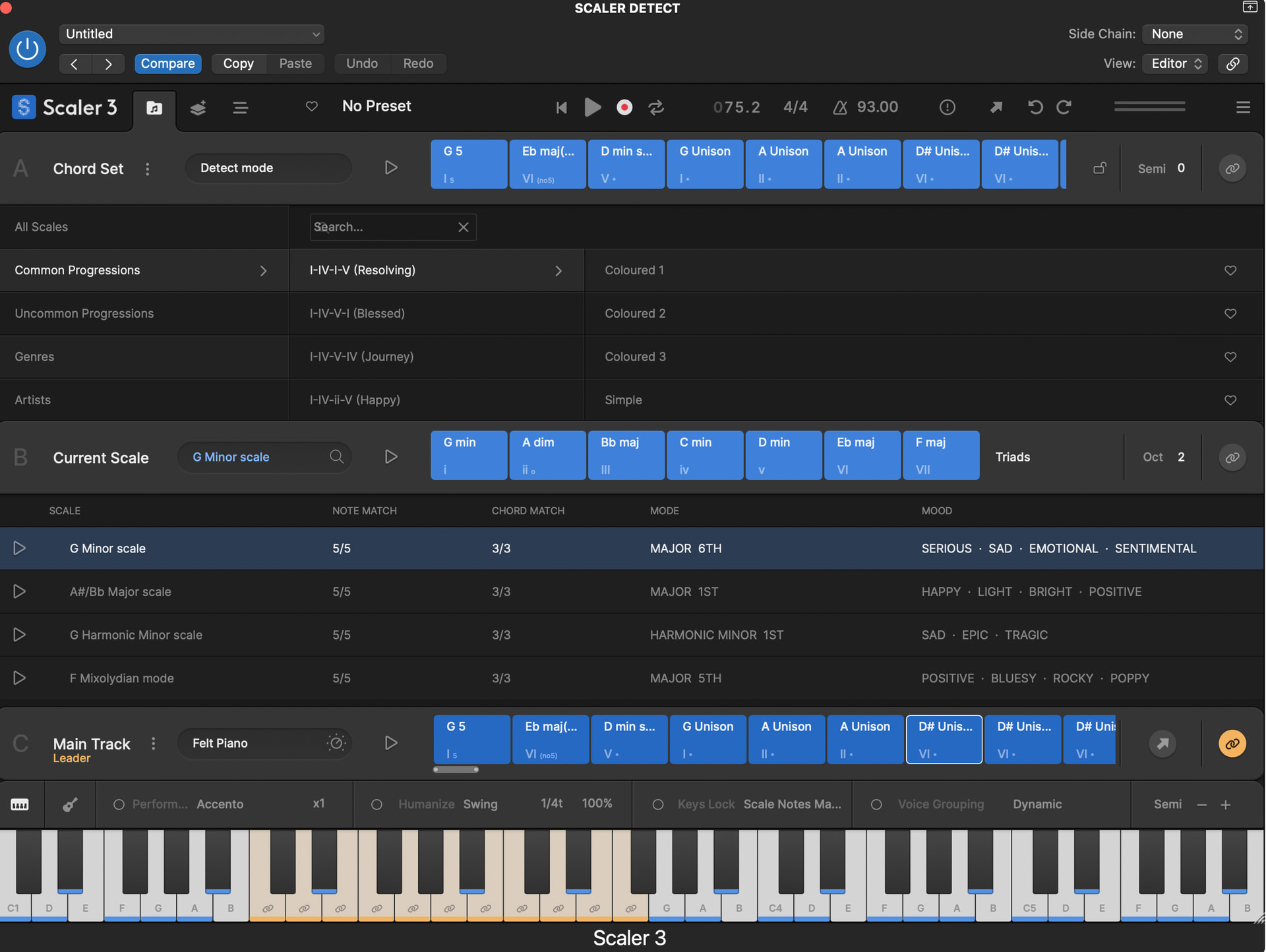
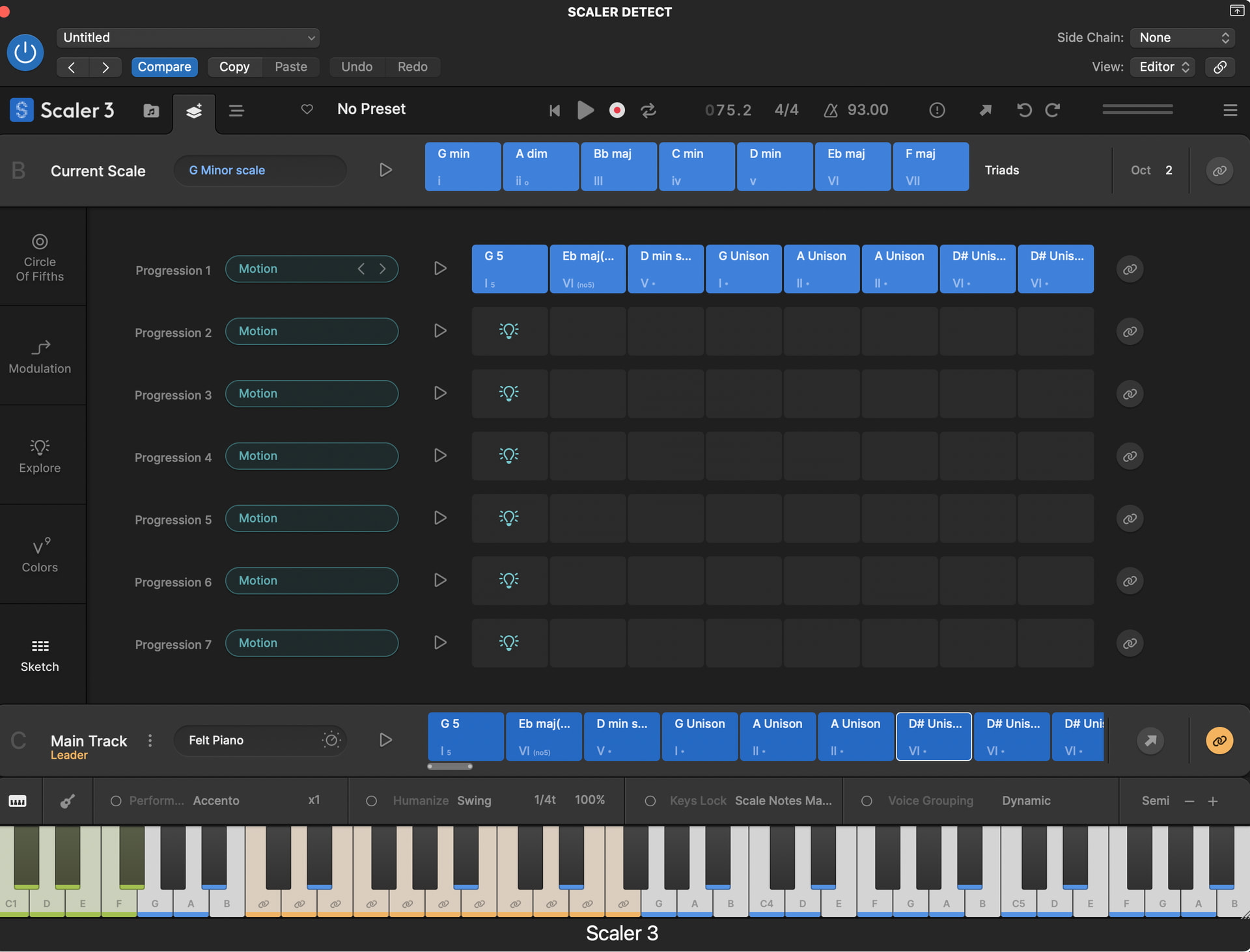
S2 was so easy and obvious (right click play button). after watching several vids still cant figure out DAW SYNC in S3
note: i have DAW SYNC enabled in S3 + I have chords that i dragged down to “C”. I hit play and logic plays + the S3 UI playback indicator shows S3 is playing but the chords in C do nothing and do not play
so u can see in these images Arrange page is not auto populating so probable why i am, not getting playback. why is Main Track on Arrange page not auto populating???
Hey @bobmane Right click play button in Scaler 3 as well!
Just remember that Scaler 3 has a timeline whereas Scaler 2 was limited to 8 chords.
So in your image it looks like your DAW position is at bar 30 where you don’t have any chords? The timeline is synchronised with your DAW. Try playing back from that start of Logic. From there you can loop the chords in Scaler 3 and play in DAW sync or just copy the chords across (you can use Scenes to do this). Unless I’ve got this advice wrong the tutorial playlist covers this in detail (as does the onboard tutorial in Scaler 3). Hope that helps.
thanks i will look at that. but pre-drag-midi-to-daw status …. even here: https://youtu.be/8N9bEaK25WA?t=355 he switches to Arrange and the chords are there whereas on mine (and shown in my images) they are not.
i didnt frame this topic well. what happened is when adding to Main/C then switching to Arrange I did not see the midi because it was placed at 1 and hidden. it would help to have a “universal timeline” lane that shows whole timeline to avoid this
Try using Scaler 3’s internal Loop in addition to (or instead of) your DAW Loop and DAW Sync. That will keep your area focussed on whatever chords you have within the loop.