When I open up, for example, the sound tab to load a VST…there are"multiple" VST’s for the same instrument being displayed. For example..when searching for Kontakt 8 (VST) under instrument tab..there are"multiple" selections of Kontakt 8 (and others too) that will be displayed. How do I trim this down to show only one Kontakt 8 (or Kontakt 7, etc.) to be part of the selection page? I realize I can just Favourite (heart button) to solve this..just wondering where I when wrong upon scanning? Thanks

Welcome to the forum and thanks for your post.
I haven’t seen this issue before. You could try rescanning your plugins, then closing and reopening Scaler 3 to see if that removes the VST duplication.
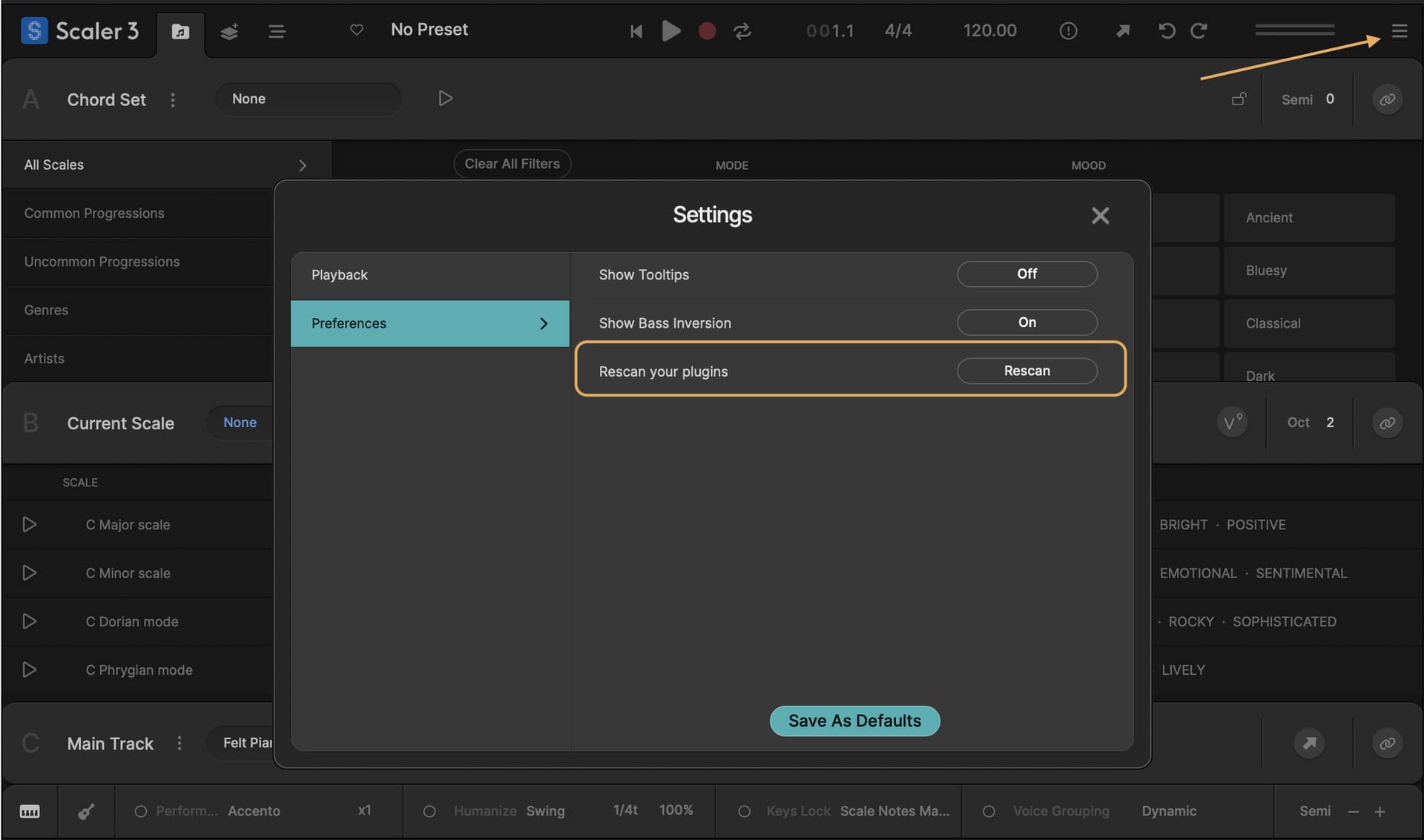
If that doesn’t work, try closing both Scaler 3 and Logic, then remove the plugins.cache and plugins.log files from the location below. After that, reopen Scaler 3 and run the plugin rescan again.
/Users/[YOUR NAME]/Library/Scaler Music/Scaler 3
Tip: The Library folder is hidden by default. In Finder, click Go in the menu bar and hold the Option (⌥) key to reveal it.
Let me know how you go!
Cheers.
Hey Steven..I’m so sorry I haven’t replied yet from “your” quick response but I wanted to update you on “all” your suggestions which I finally completed. After deleting/re-scanning/etc., this weird issue still haunts me and seems odd. Not really sure where to go from here except maybe just accept this glitch. If anything comes to mind, I’m all ears! Has anyone else seem to find this issue a problem? I sent a couple of pictures on what I’m witnessing but I think you already have an ideal…please advise if something comes to mind…and thanks!
Hi @libertycourt, no worries. If you haven’t already, I’d recommend doing a clean install of version 3.1.1:
- Follow the clean install instructions outlined at the bottom of the Known Issues thread.
- Reboot your machine
- Install the 3.1.1 update
- Reboot again after installation is complete
Let us know if this helps. Cheers.