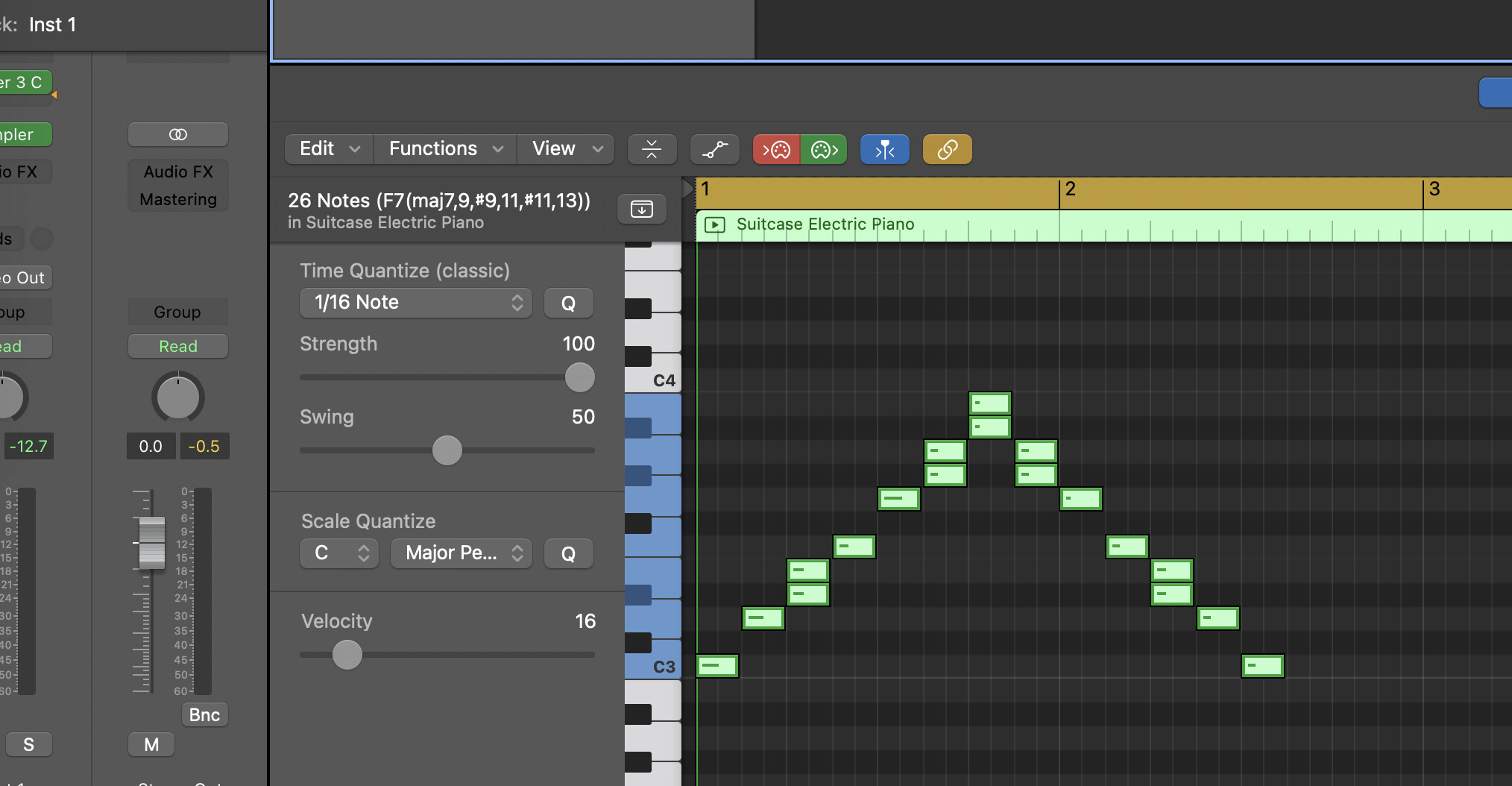
When using Scaler as a MIDI FX in Logic, if you use the scale lock, it plays fine. When it inputs the notes into the piano roll of the DAW, it enters the notes on the piano roll “as played” rather than as interpreted by the scale lock.
For instance, if you are in the scale of C Minor, E, A, and B are flattened to D#, G#, and A# respectively.
If you set the MIDI FX to “record midi to track here, E will enter D# and E both, A will enter G# and A, and B will enter both A# and B.
Is it possible to filter the input and replace the “as played” notes with the locked scale notes?
Hi @DavidK You could do this with MIDI Capture internally in Scaler 3 and then drag and drop to your DAW or anywhere or you can ‘record’ the output of Scaler 3’s keys lock right into your Logic track if you are using Scaler 3 as a MIDI FX:
To record Logic Pro’s MIDI FX output,
insert your MIDI plugins, then click the small arrow next to the last one and select “Record MIDI to Track Here,” which appears as yellow triangles, and arm the track for recording; this captures the processed MIDI (like arpeggios or chord voicings) in a new MIDI region, letting you edit or use it independently.
Unfortunately, the “Record to Midi Track Here” doubles up the input with the filtered notes and the “as played” notes. Here, I played the C minor scale with the keys locked and it gives both.
Again, this really isn’t a Scaler issue as the built in Logic Transposer MIDI FX does it as well. I was just hoping that there was a better alternative.
Well, at least better than the obvious need on my part to improve my keyboard skills with different scales.
What I really want is for Logic to be able to highlight the different scales so I can see the diatonic notes at a glance. The editor for EZKeys will do that and additionally will switch between highlighting chord tones as well as scale tones. At least for the limited number of scales that it supports. That is pretty limited in comparison to the number of scales that Scaler supports.