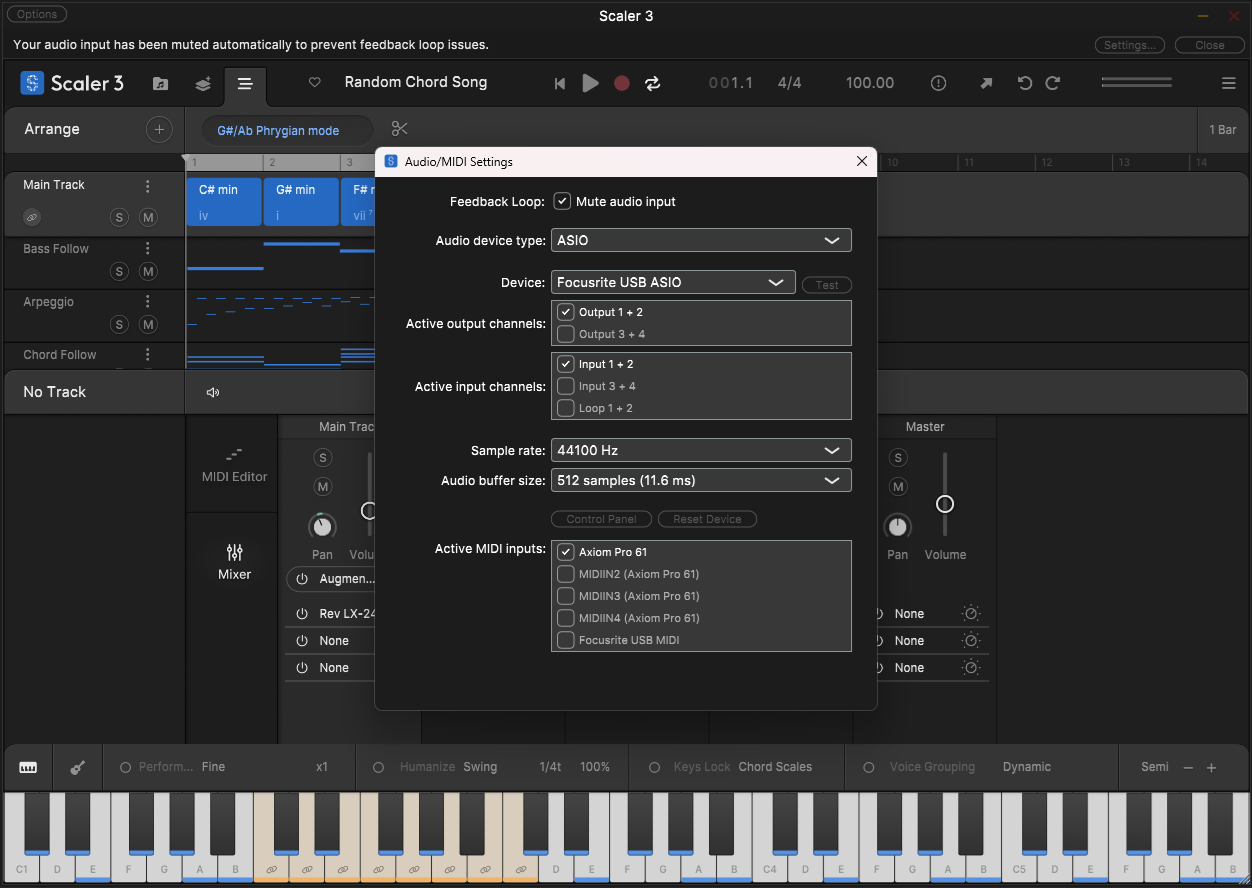
Hi
I want to use my FL Key 61 with the standalone version. When I went to the preferences section in the settings I couldn’t see how to do this this. Can someone explain what I need to do please. Thanks
Steve
Hi
I want to use my FL Key 61 with the standalone version. When I went to the preferences section in the settings I couldn’t see how to do this this. Can someone explain what I need to do please. Thanks
Steve
Thought I was going insane, because there is no “Settings Knob” in my version. After about 15 minutes of searching I found the “Options” button in the upper leftmost corner of Scaler Standalone (where the close window ux usually is). In case anyone else is completely stumped like I was.
(rant) This is my one and only complaint about Scaler 3 which I truly love. Dark grey font on a black background. Some options, including the one you mentioned, was not visible to me for days. I have poor vision but they were not visible to me even with my prescription glasses. I don’t know who came up with this ‘dark mode’ but I prefer white background and possibly colorful buttons and knobs. Or give us a choice, like Abelton does. Current color scheme discourages me to open it. It’s like being on a wheelchair and going into a building without a ramp. Music should be fun and enjoyable and not gloomy or dark. (/rant)
Thanks to everyone who added where to find the Options button, as there is no “Settings Knob” in my version either.
They most definitely need to hire a UI/Accessibilities person to redesign the font choices on the interface including color, size, and face type. Light gray fonts on a black background are impossible to see. it’s not much better when hovered over either.
I feel you bro! My vision is also poor, wish there were colour buttons and knobs.