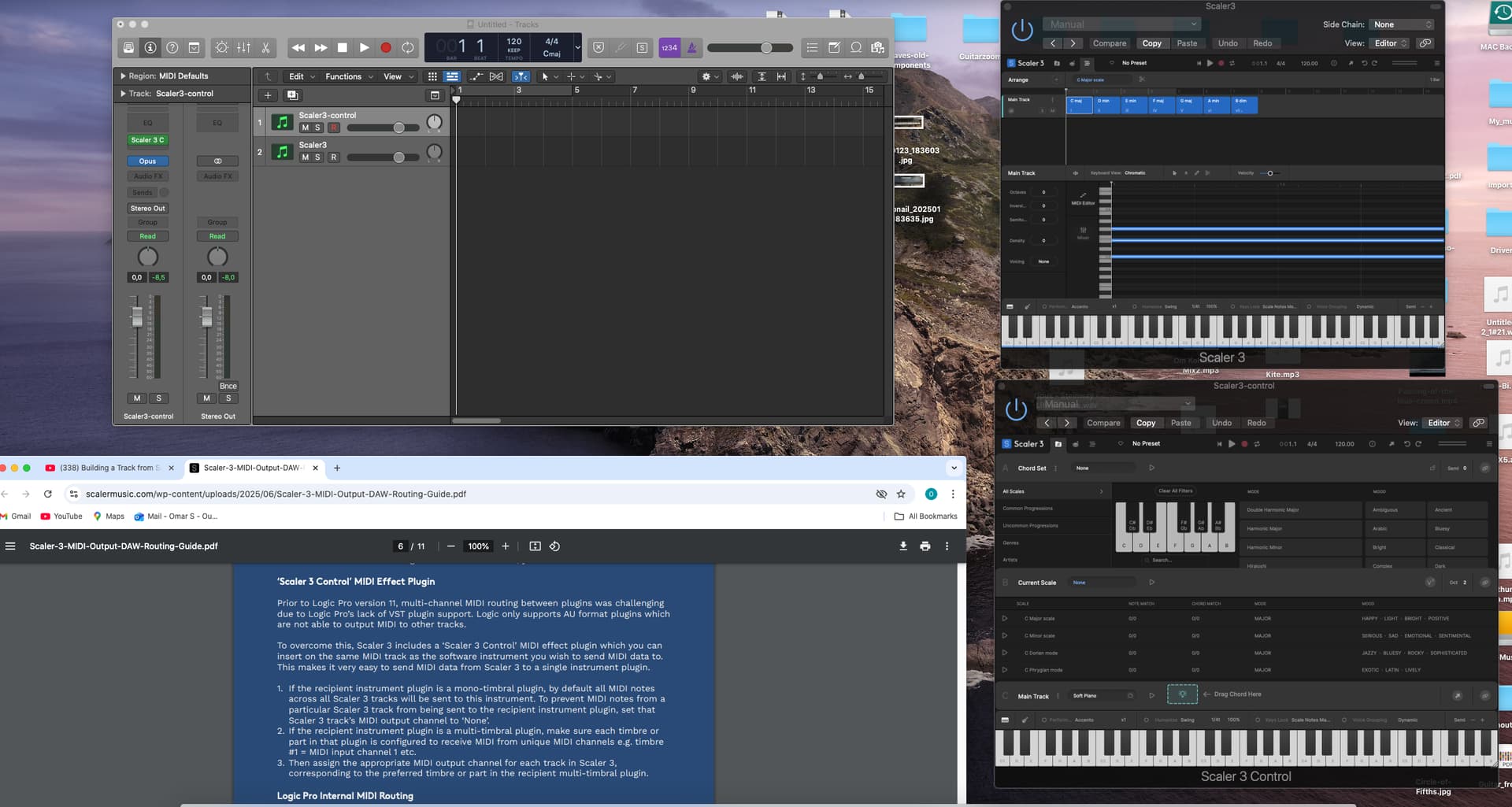
I am trying to route control from a Scaler3 track to a SW instrument track also loaded with Scaler 3 Control Midi FX. Shouldn’t the sound of both tracks be heard, i.e. the internal scaler3 instrument plus the SW instrument? According to the instructions as in the screenshot, it is as simple as this! In my case I only hear the internal scaler3 instrument when I play the keyboard controller or trigger the chords.
Another question, is this method preferable compared to simply picking the external instrument from scaler3? I.e. keep everything in one track?
I was simply following David’s youtube video “**Building a Track from Scratch with Scaler 3 & MIDI Out – Full Walkthrough”..
Not sure if this method has other advantages.
I am on iMac running Catalina 10.15.7 - Scaler 3.1
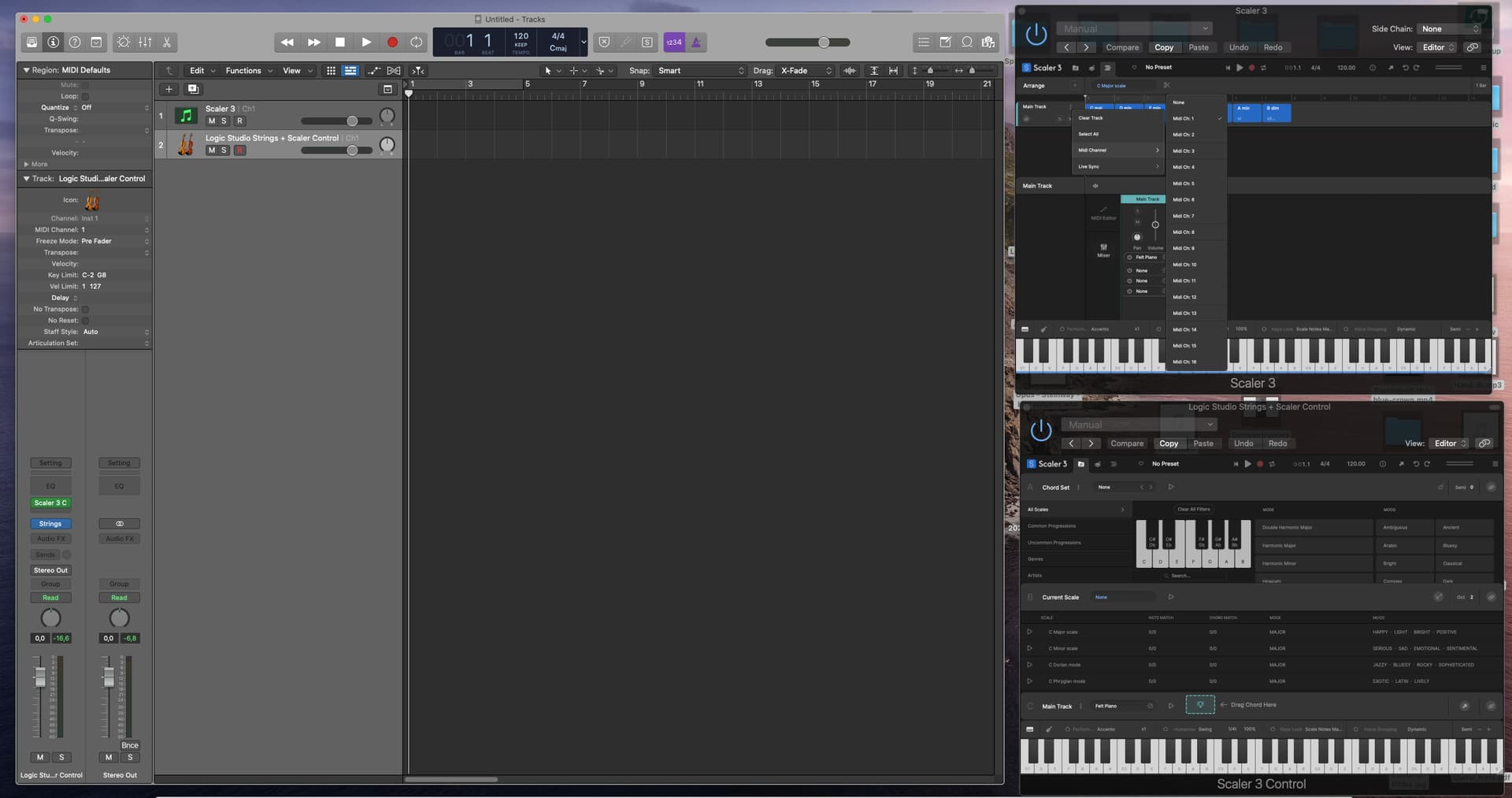
Im a little confused here. You can route either Scaler 3 or Scaler 3 Control to any Instrument track in Logic. I can’t see your track settings in Logic here as you haven’t exposed them. Key here is the MIDI In Channel on your receiving track should be set to the Instrument Output of Scaler 3. Try using Scaler 3 Instrument and don’t worry about S3 Control for now. Process of elimination.
Thanks Davide . I’ve probably forgot to stress that I am using Logic Pro 10. I.e. I have no Internal Midi channel to select. That’s why I am using the first (old) method (as in the instructions you referred to). As you see, I am selecting channel 1 wherever it’s possible to select one: in Scaler 3 first track and in the SW instrument (Logic’s Studio Strings) track. When I trigger chords in the scaler 3 track I expect to hear both scaler’s internal instrument plus the SW instrument, but I only hear the scaler’s one. Am I doing it right, or am I missing something? I am enclosing another screenshot showing the midi channel selections.
Can’t really help you as I haven’t used use Logic 10 for a few years but it doesn’t support internal Multi Channel MIDI routing so you will need to use Scaler Control as a MIDI FX and then an instrument of choice. If the instrument of choice is something like Kontakt that does support multi MIDI channels then you can use the Scaler 3 midi out channels. This would be relevant to you. Scaler 2.7 Multi Out, how to guide and information for various DAWs
Sorry I can’t help further.
Hi Omar
I have the same problem with Logic pro 10.5. No Internal midi channel… It ‘s seems only working with tne last version of Logic pro… I asked the same question to the Scaler team, no answer… or the same answer with one midi track with a instrument like Kontact and Scaler as midi Effect…
Stay connect if we find a solution, and share!
Hi @beaubrunb Sounds like you have your answer right there! Logic 11 and beyond supports internal MIDI routing. If you want to stay with Logic 10 then you will need to use Scaler 3 as a MIDI FX and send to third party VSTs that way.
I just bought Scaler 3.
Within Scaler 3, it’s possible to create several accompaniment tracks (e.g., piano, melody, bass) and assign each a MIDI channel to then route each MIDI channel to different software instruments in Logic. Unfortunately… it’s not working.
My Logic setup:
I have Scaler 3 on one MIDI track
And three other MIDI tracks as follows:
Grand Piano Sampler MIDI 1
Alchemy Lead MIDI 2
Bass Sampler MIDI 3
Despite all this, all the sounds only come out on the track with Scaler…
Does anyone know the solution?
Hi Bruno. Yes I have Catalina too and, as I wrote before, I experience the same problem with trying the midi out solution.
I think this was the method Davide introduced in this video on which I added a comment explaining it did not work for me.
I think we’ll need to upgrade to OS 11 eventually.
Meanwhile I am using the old way: One track of Scaler 3 and I connect each new track to the required scaler instrument or an external instrument. It is good for listening and experimenting. Once I’m relatively happy I create new Logic tracks with the same instruments and drag the chords from respective scaler tracks to Logic. Yes, long winded way, but there we are. Enclosing a screenshot.
You can just use Live Sync in Scaler 3 to keep main track chords sync’d across all open instances of Scaler 3 and you can also just duplicate the channel in Logic (hold Option Key when dragging Track header).