Just MHO, but Scaler is a bargain relative to many other plugins.
Numerous updates and added features at no charge to current users.
As for the GUI, I’d be interested to see how much better someone could do with a program that offers similar functionality and depth. I think the GUI is fine, but any such program is going to require RTFM.
Looking forward to 3.
If you purchased Scaler 2 in the sales for $29 there won’t be much of a difference in the upgrade price to what you would pay if you purchase the current ‘buy Scaler 2 get Scaler 3 free’ bundle at $49. Both will be cheaper than buying Scaler 3 at launch. If you’ve purchased Scaler 2 previously you’ve got some use out of it. As a customer said for around the same price as feeding the family at McDonalds. I welcome all feedback and I think the uncertainty around the upgrade pricing is a sad reflection of the eye gouging that goes on in the software industry. Our pricing is set at a roundtable and ensuring all of our customers are treated fairly sits above our own financial objectives.
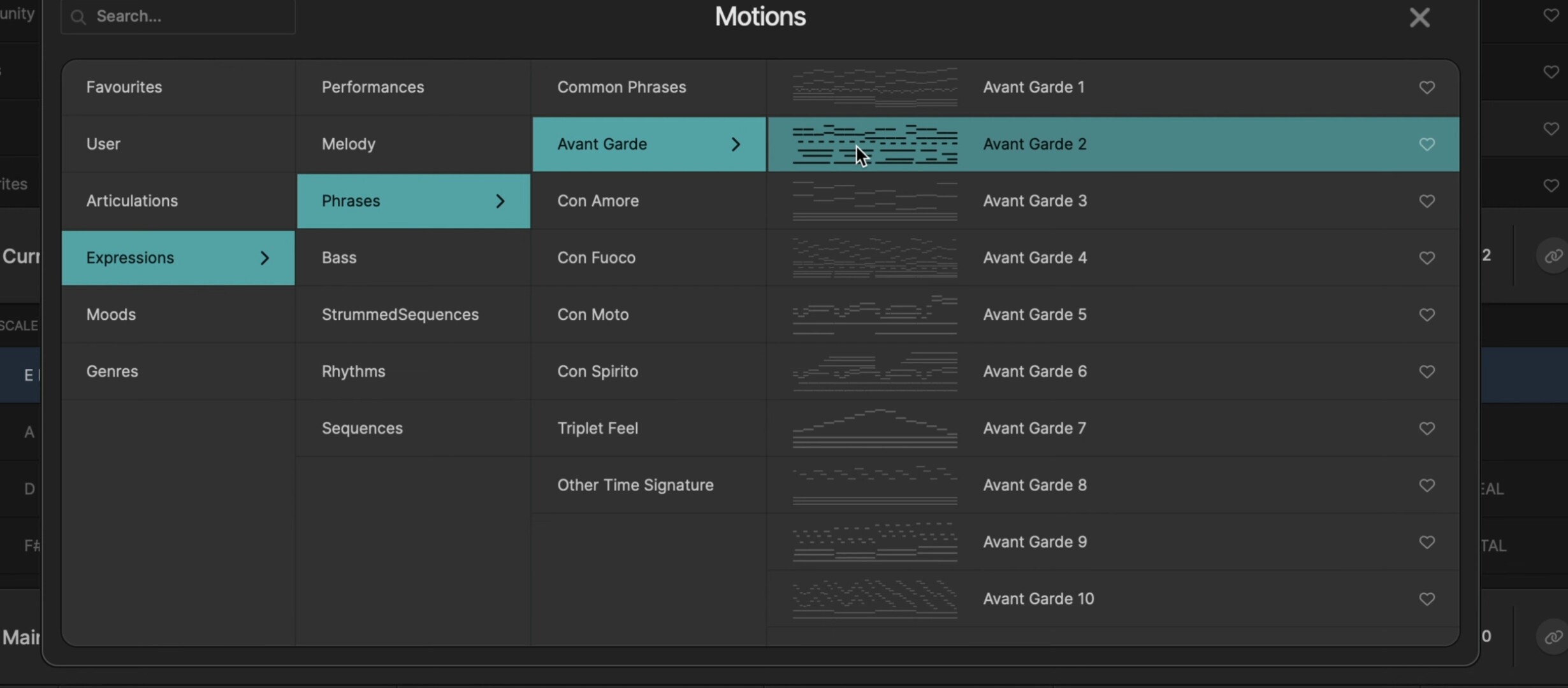
Hi all. New Prerelease Reveal video up focussing on the Browse Page. Still some tweaks to be made and content to be added but fairly complete.

@davide do you know if there’ll be a dedicated effort in v3 to address the performance issues that v2 has on iPad?
 **
**Scaler 3 on the iPad is an entirely different code base as is Scaler 3 desktop. We had to work very hard to adapt everything in S2 over to iPad and it was never ideal. S3 iPad will be lovely. It just needs dedicated time after S3 Desktop release to test and play.
Stay tuned to the reveals over the next few weeks. Editable midi is a hugely requested feature for our users. We’ve got lots of big stuff to share there soon!
@davide I would really appreciate the ability to increase the text contrast in the main windows. Dark mode can be a struggle for me if there isn’t sufficient contrast.
Very excited for March!
Thank you, that’s great to hear!
I hope there is some consideration for the early supporters who bought v1 early on and then upgraded to v2. The total spend is already above current offering. Without us early supporters there would maybe not be a v3?
Thanks.
I recently had to re-install a rig and out of curiosity, I installed Scaler 1 and Scaler 2 side by side. I noticed something that is actually bothering me a bit.
Scaler 2’s UI is slow… as in, responding really slow. Granted, this is a CPU on the older side (think 1st/2nd Gen Intel), but I did not expect that, and I also do not know why that is (as in… is this an OpenGL issue or something, does it need a certain CPU routine for UI handling?).
Can this please be improved with Scaler 3?
.
While installing, I also noticed once more, that you have to install both stock sounds (although you can reduced that to a 150MB package) and both the VST2 and VST3 version. Can Scaler 2 please get one final update where you can select what you want to install, and the same goes for Scaler 3?
As in: if I don’t want the VST2 version installed anymore, just let me do that from the installer. Granted, I can go HDD diving and delete what I don’t need - but it’s a comfort thing.
Thank you.
Oh wow, on the one hand, I am excited to see the advancements that Scaler 3 will bring to the table but on the other hand, I am extremely disappointed that the sustain bug I reported back in February 2024 is still not resolved in Scaler 2 - Scaler sticking with sustain
To be honest, I feel a little let down and so, I have to ask the following:
Is it your intention to discontinue legacy patches for Scaler 2 when Scaler 3 is released?
Is the bug going to be resolved in Scaler 3?
Worst case is that I upgrade again and end up with the same bug so would need some assurance that it is going to be or has been resolved with Scaler 3.
Scaler continues to be my “go to” tool of choice but the fact that I’ve waited nearly 12 months for a known bug to be fixed, only for it to not be fixed and a new version of Scaler on the horizon, does not fill me with as much confidence as I used to have.
I think you can appreciate my cynicism and I hope you can allay my fears around this irritating bug as it would be nice to be able to use my sustain pedal with Scaler.
mmm, this is strange
I think to have used that pedal this year and I don’t remember the issue
I’ll try later today if I remember where is my pedal 
BTW, my Swing keyboard has a button with the same function and it seems working
Definitely strange…
Tristan confirmed they were able to reproduce the bug last year when I initially reported it.
It shouldn’t be keyboard specific considering the midi event data is universal but in either case, it has been a little bit of a let-down to not have the “issue” addressed" over nearly 12 months.
I found my pedal
Today I’ll try it, and let you know what happens
if it doesn’t work in my system, we will be 2 people asking for a fix
unity is strength 
this cant come soon enough!
Look forward to seeing what the outcome was.
Our unity would be a minority hehe.
Maybe @davide and the team will be willing to comment further on this?
I would have settled for a reason revolving around too little reward for too much effort especially with v3 on the horizon. An honest and direct answer is always more preferable and valued by me rather than being “handled”.
In either case, do let me know what happened with your test and to add to this, would also like to know what keyboard and pedal you used if you are willing to share?
In my case, it was a M-Audio Keystation88 MK3 with a generic sustain pedal.
Cheers anyway for the effort @ClaudioPorcellana it is much appreciated 
Today I had to work, but rest assured that I’ll try that tomorrow
good night
I just tried. I have Arturia Keylab MKII and M-Audio sustain pedal and - this works fine while I play and also when I reproduce the recorded sequence.
This is the proof.
Myy DAW is Reaper 7.3 on Win11.
I have a Behringer Swing keyboard, and an Alesis ASP-2 pedal
My DAWs are Bitwig 5 Producer and Cantabile
It works in both DAWs…
maybe that you pedal is just faulty?
have you tried with a deoxidizer for electronics?
Hmm, very interesting indeed.
I appreciate you taking the time to check it out on your end.
Confusing that Tristan said they were able to reproduce the bug at their end.
I will take your suggestion on board and assume it may be a faulty piece of kit but it still could be hardware and DAW dependent which means I am going to very much be in the minority.
Cheers again @ClaudioPorcellana!