This seems like a very simple and obvious thing Scaler 3 should do, but I cannot for the life of me figure out how to view every chord in a defined scale at one time.
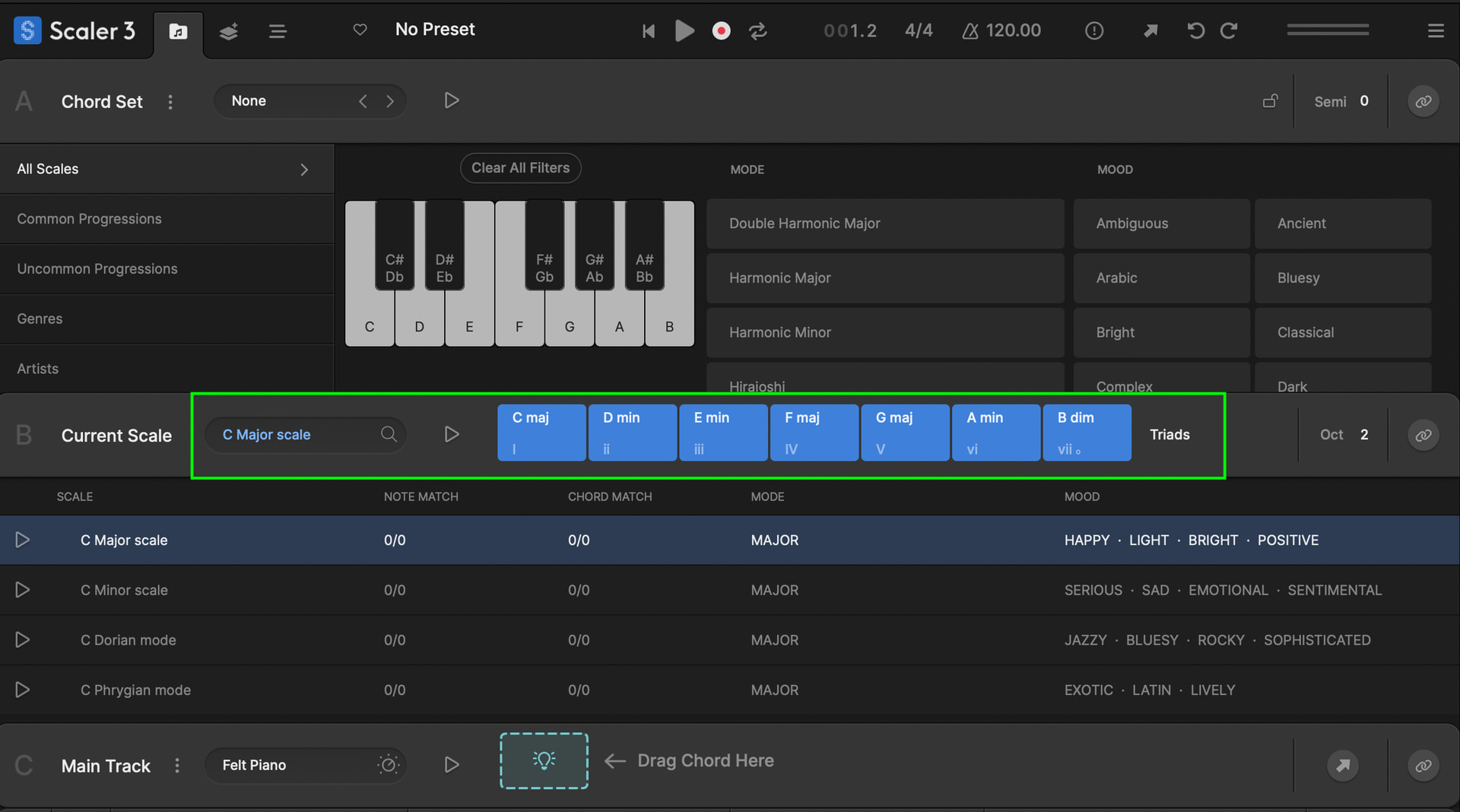
Hi @Dysonant And welcome to the community, once you have a scale selected or detected it shows right there in section B as follows. Have I misunderstood your Q?
If you haven’t already its a great idea as a first step to run through the onboard tutorial.
OK, yeah, not all diatonic chords. All variations. In Scaler 2 one could select a note and see every possible chord with that root note. it was always restricted to your selected scale.
I’m finding the workflow a bit frustrating. When I select a scale and go to the Circle of Fifths, choosing a root note still shows every possible chord for that root across all scales. Is there a way to restrict the chord list so it only displays chords that belong to my selected scale? Most of the time I want to stay inside the scale, and only occasionally step outside it, so having a scale-filtered view would be much more efficient.
I’ve stopped using it and stopped recommending it because of this. the most recent iterations seem to have become so completely focused on one person’s idea of a workflow and completely destroys the expectations of anybody trying to use a scales and chords plug-in in other ways and manners.
discovering chords has become a purely frustrating process filled with roadblocks
Thanks for the honesty. The quick moderator reply felt unhelpful, and the silence after made it seem like they did not want to engage with the actual issue. Scaler 2 used to help me explore chords as a weak keyboard player, but it has drifted into a subpar mini-DAW full of features I never asked for. I do not want software writing music for me. I just wanted clear access to chords.
Because of that frustration, I tried https://www.mindfulharmony.app. I am on the trial now. It is simple and direct. A numbered grid with variations underneath is obvious and easy to use, unlike Scaler’s canned rhythms and genre clichés.
Thanks for the feedback. Totally understand wanting something simple and direct for exploring chords, that was a big part of Scaler 2’s appeal.
Just so you know, Scaler 3 can still work exactly like Scaler 2. If you head to the Colors Page, you get clean access to voicings, variations, and harmonic options without any rhythms or performances in the way. It’s the simplest way to use Scaler if you just want chords.
We’ve also got plenty of free videos and resources that show how to keep things stripped back.
If you feel like giving it another try, I’m confident the workflow you liked in Scaler 2 is still there.
and then when I try to collect the chords on the bottom shelf as I’m exploring them and finding the chords that sound best following the proceeding cords I had selected I find that they have been added to the sequencer against my wishes. and now I can’t start and stop my daw without cords been driven by the built-in sequencer. I just want them on a shelf so I can trigger them. the sequencer is going to do nothing but play a very boring sequence of chords. I prefer to play the timings in myself. and why on Earth is there no way to just right click on any cord and edit the notes in it or the voicing. it’s like in some places in the software you can and other places you can’t and it just feels so arbitrary. it really feels like this software is trying to force its users to work in a certain manner that somebody else out there really likes but doesn’t work for everyone.
Hi @etyrnal You can right click the play button within Scaler and turn DAW Sync Off. Do you have the latest version? Running the onboard tutorial is a great way to get familiar with the basic functionality of Scaler 3. As for the rest please check through our tutorials below. They pretty much cover most of the functionality. No doubt it’s a powerful piece of software, but learning to use it in a basic way that suits your own workflow is a good start. These tutorials help with that.
@davide Thanks for getting back to me, looking closer at that page, you are right, I can mostly get back to where I was with Scaler 2, I would even say it is improved. I would still suggest you all take a really close look at how https://www.mindfulharmony.app is showing available chords in a given scale. It is so straight forward it makes your improvements look convoluted.
Regardless how you proceed, I appreciate your patience with my frustration. I know you all probably worked very hard on this release, but it really does feel like it is trying to do too many things.
The colors page is cool, but you stopped short. Five rows feels arbitrary. Two more rows and all seven scale degrees would fit on one screen. It is a missed opportunity.
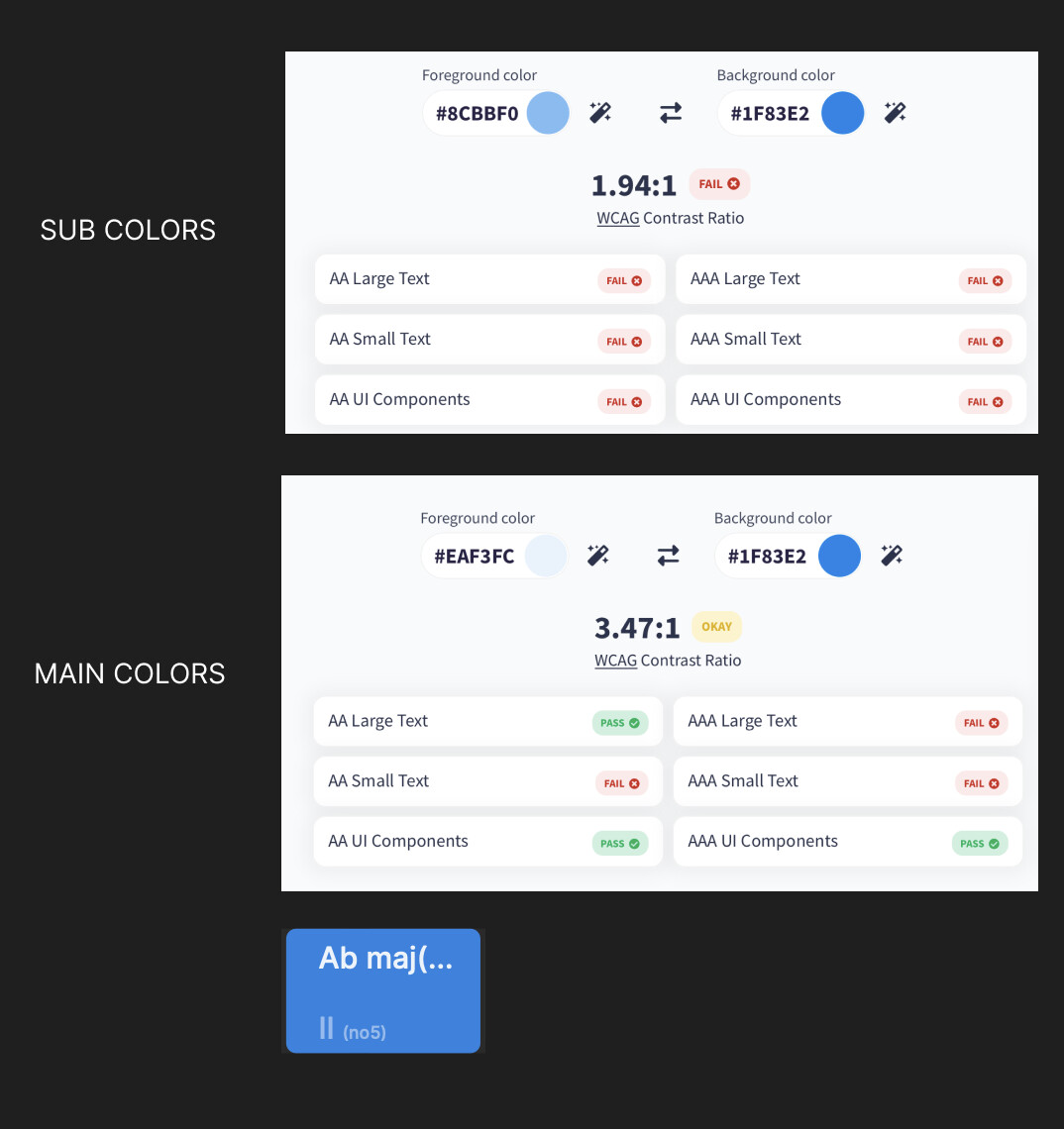
The more I use the app, the more I notice these kinds of UI choices. The chord blocks are fixed at a size that often cuts off the actual chord name. I cannot read anything without hovering. It looks like someone noticed this and squeezed tiny text into the bottom, but it is unreadable and breaks basic accessibility guidelines. The same information appears twice, and neither version is usable.

That is where I think a lot of the frustration from users is coming from. A lot of time and effort went into scaler 3 for building out a sequencer and a bunch of canned rhythms and progressions, but the interface has just become more complicated and even less usable.
The proof in in the pudding. You are probably spending an undue amount of time fielding customer service calls about basic shit like what I posted at the beginning of this thread.